CYD Based DX-Cluster viewer
Introduction
This article describes an “experimenters’ corner,” during which several members created dedicated modules, based around a CYD (Cheap yellow display module). These are designed to access the club DX-Cluster via a telnet in-built client.
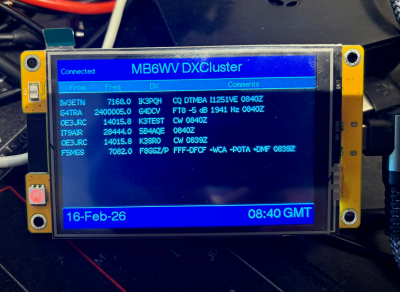
The original work and protype was created by Colin G1IVG and presented a recent WVARS meeting.
The Presentation
The best place to start would be with the presentation given to the Society by Colin G1IVG
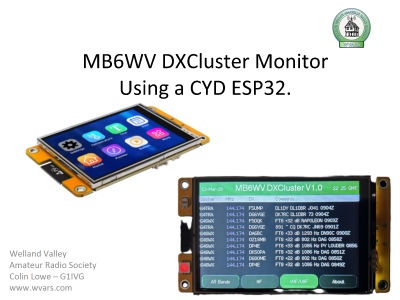
Intro.
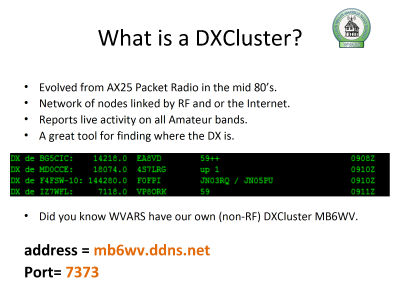
What is a DXCluster - and where to find the WVARS cluster?
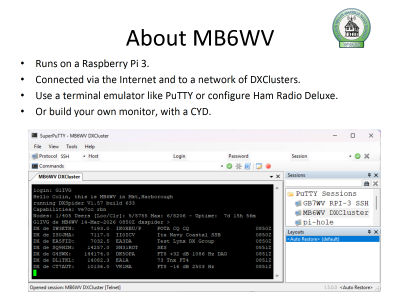
About MB6WV and where it is hosted.
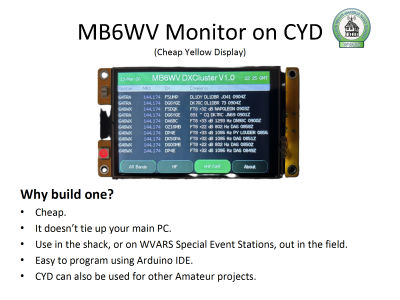
Why use a CYD to access the DXCluster.
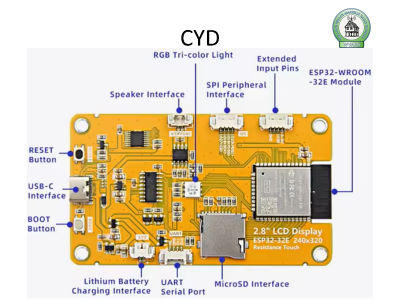
Introduction to the Cheap Yellow Display (CYD)
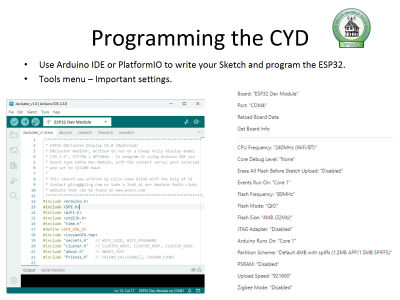
Programming the CYD
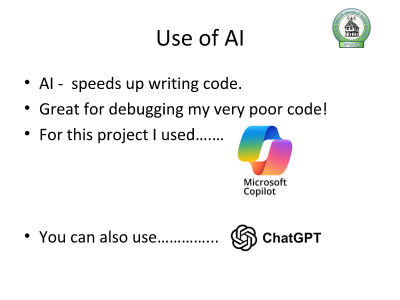
Using AI to help with creating code
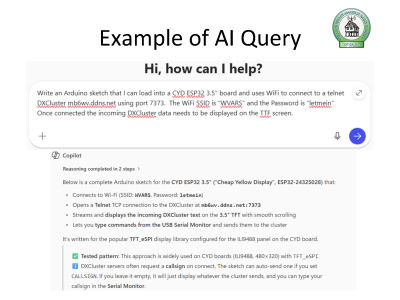
An example showing the use of AI to create code.
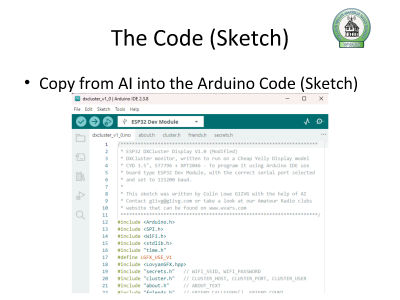
The code produced
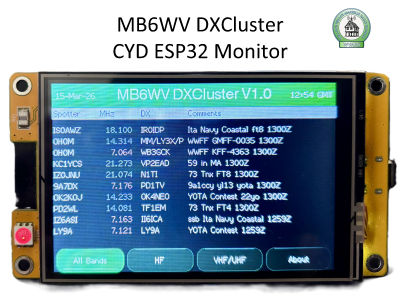
MB6WV DXCluster being displayed on the CYD ESP32 Monitor
An overview of the process
The detailed process can be found in the downloads section linked below.
Warning: Some knowledge of the Arduino IDE is necessary to understand the rest of this article
The basic course of action is:
- Download and Extract the Files
- Configure the Arduino IDE
- Edit the Configuration Files
- Download to CYD and test
Snags and Discoveries along the way
When embarking on this project, an important thing to note is that these units vary in terms of both the display dimensions, and the on-board chips controlling the display and touch screen.
Due to variety of CYDs used, a few issues cropped up. The were resolved by support within the members. Some of these are summarised below
Libraries and Module types
As stated above, within the Arduino IDE, the correct board must be selected (ESP32 Dev Module) and the necessary libraries must be installed.
If this is not done, there will be a lot of pain and anguish before even getting the code to compile and download
Touch screen calibration.
Firstly - on most units the touch screen needs some calibration. This is effected by means of a small code change. The change causes the CYD to boot into a calibration routine which reports the X and Y Minimum and maximum values back to the PC via the Serial monitor in the Arduino IDE when the corners of the screen are touched
Touch screen orientation.
This must set up on a device-by-device basis. The display and touch features are controlled by two different chips – and we found that display and touch may be rotated or mirrored with respect to each other.
James G1JSP advised to Look for touch screen rotation number in the code. Originally set to 2. His setting had to be changed to 6. Robin G4XRA had to change his to 4.
Boot Up logo.
To display the WVARS logo on boot-up, you need upload files to the ESP32 on Arduino IDE 2, using the LittleFS Uploader plugin that is compatible with Arduino 2.2.1 or higher and can be used with the ESP32.
The detailed process can be found in the downloads section below.
Configuration Files need setting up correctly
Before uploading the program to the ESP32, two configuration files must be set up -these contain the user’s callsign, Network details and a friends list. This can be done from within the Arduino IDE
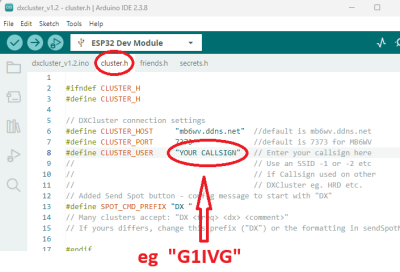
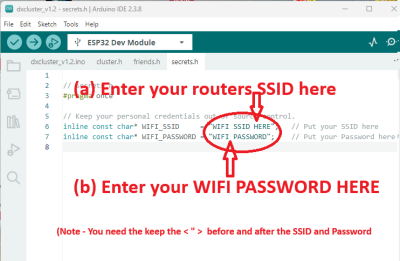
Failing to do this results in the system not connecting to the local wifi, or not logging on to the telnet cluster, or the “friends” feature failing to highlight the spots.
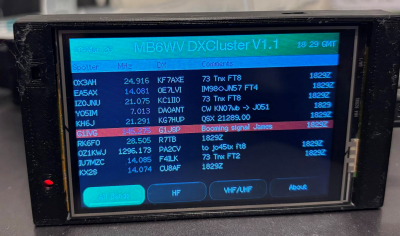
With the configuration correctly set up, if one of the Club members gets spotted on the DXCluster, it highlights them in red, so they stand out.
SPI Issues
Robin G4XRA bought a second CYD, and Just to test loaded in the DXcluster code.
On the second unit the touch screen was behaving very erratically - the buttons changed colour, but the values entered were off and the DX box couldn’t be accessed properly etc etc
Running through the calibration routine didn’t resolve it, so Google AI was asked to help
Google AI eventually produced this nugget of wisdom
Why this happens (The "Order of Magnitude" gap)
An "order of magnitude" difference in touch calibration usually points to one of three things:
SPI Conflict (Most Likely): The Touch controller and the Display share the same SPI lines. If the code is trying to talk to the display while it's reading the touch, the "MISO" line gets messy. Because your X values are stuck near the maximum (around 4095), it often means the data line is being held "High" by another component.
Try this fix in your LGFX config:
Lower the frequency of the touch SPI. Sometimes 2MHz is too fast for the shared bus on the 3.5" model. Change this line:
c.freq = 1000000; // Drop to 1MHz
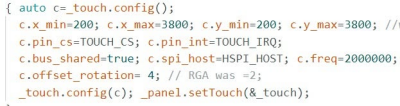
Making the change to the SPI bus speed and the touch screen worked a charm. James reported that this small changed improved the performance to his project too
Finishing the Project
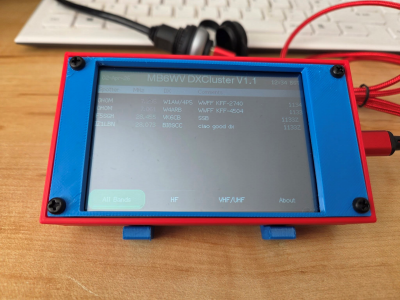
3D Printed case
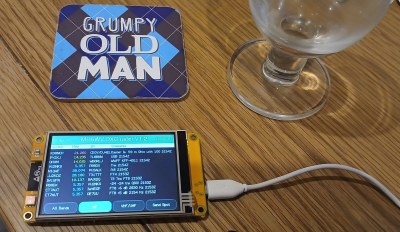
James G1JSP produced a very nice 3d case to house hi project.
Downloads
Below are links to the files you will need to undertake the project
| Code | Code for CYD DX-cluster Project |
| Instructions | Detailed Instructions for programming and configuration |
| Logo "HowTo" | How to download the bootup logo file into the CYD using littleFS |
| Presentation | Original presentation given by G1IVG and WVARS club night |